
Maintaining a published tour
7 min readRoutes change, attractions close, photos age, and listeners notice. A tour that felt current when you published it may have small but meaningful gaps by now. These things have a real impact on sales, ratings, and how your tour performs in search.
We recommend a proper check-in every six months or so. The steps below cover the main areas worth reviewing, but you don't need to do everything at once. A targeted refresh, starting with whatever is most likely to have changed, is one of the most effective things you can do to protect and grow your earnings.
We covered these steps in our April 2026 webinar on Getting your tour ready for peak season. If you'd like to watch the recording, you'll find it at the bottom of this document.
1. Walk your route
The most important thing you can do is walk your tour. Construction, new roads, and temporary closures can make sections difficult or impossible to complete, and a listener who can't finish won't leave a good review.
If walking it yourself isn't feasible, your ten free tour credits can be converted into voucher codes to send to someone who can. Read more about testing your tour here.
2. Review your photos
Two photos matter most: your tour cover image and the starting location. Your cover is the first thing a potential listener sees, so it should be high-resolution and invite them to imagine themselves on the tour. The starting location photo helps listeners orient themselves before they begin.
If either needs updating, send the new image to your editor clearly labelled with the tour name and location name. You can't add photos to a published tour yourself for now, so your editor is the person to contact. Images should be high-resolution — you can find our guidance on dimensions here.
Your featured location is the stop a listener can access before they buy. You'll have chosen it during the publishing process, but if you haven't yet added images to it, or the images are looking dated, it's worth updating them. You can add up to five images to your featured location directly through the distribution tab in your publisher dashboard. Choose photos that show the location at its most compelling. More on the distribution tab below.
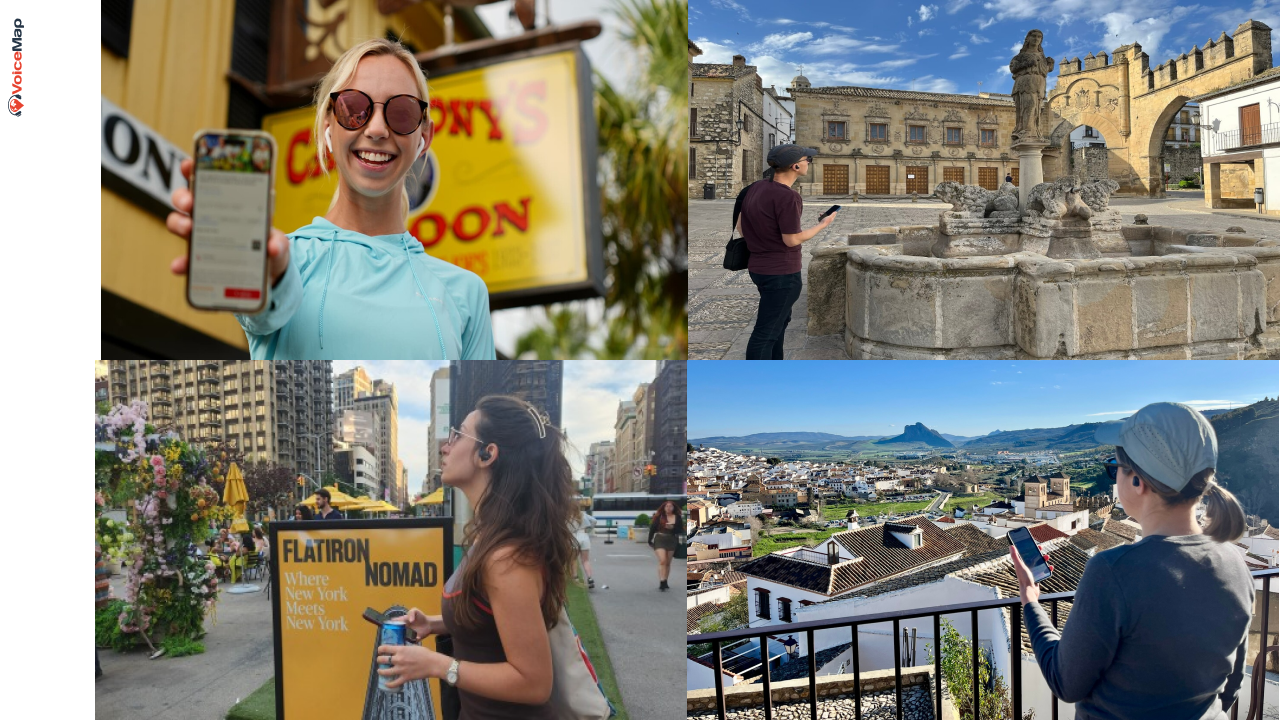
Walking the route is also your best opportunity to take fresh photos and video for your social media and reseller listings, both of the locations themselves and of people doing the tour. Candid shots of someone listening and exploring tend to work particularly well. You can find guidance on image sizes and quality here.
3. Check your tour's final touches
If your description was written a few years ago and no longer reflects the structured format we now use, get in touch with your editor and we can update it. The format is built around what makes your tour special, what listeners will experience, and the practical details they need. A well-written description does real work for both SEO and conversions.
Also check that you've selected categories for all your tours. Categories help listeners discover your tour when browsing in the app and on the web, and a tour without them is harder to find. And take a look at any recommendations you make for food or drink along the way to make sure they're still open and still worth visiting.
Read more about final touches.
4. Fix what has changed in the content
Restaurants close. Attractions get renovated. Facts become dated. Go through your script with fresh eyes and flag anything that no longer holds. For small changes, recording a short replacement clip and sending it to your editor is relatively straightforward.
If your tour needs more significant updates, your editor can help by creating a clone of your existing tour so you can make changes without affecting the published version. Bear in mind that we need to unpublish your tour during this process, so significant revisions are usually best tackled in the off season.
5. Check your recent reviews
We recommend looking at your listener reviews at least once a month. Reviews are often where listeners flag exactly the things you'd want to fix.
Responding to reviews promptly matters too. A warm response to a positive review reinforces the connection a listener felt with the tour. A thoughtful response to a critical one shows that you take the experience seriously. Future listeners read those responses just as closely as the reviews themselves.
If your tour is on Viator and TripAdvisor, ask your editor for a direct link to your listing. This is useful if you want to direct your own network there and encourage more reviews.
Reviews also have a direct impact on how your tour performs on Viator and its partner channels. Tours with six to ten reviews are booked three times more on average than tours with only one to five. Tours with an average rating of 4.5 from 15 or more ratings receive a Badge of Excellence, which makes them considerably more attractive to potential buyers.
6. Update your publisher profile
Your publisher profile affects how your tours surface in search results. We've structured profiles around Google's E-E-A-T framework — experience, expertise, authoritativeness, and trustworthiness — and a well-completed profile sends stronger signals to search engines and to potential listeners deciding whether to buy.
Focus on four things: a strong bio, a tagline, updated social media links, and a couple of credentials. It takes around 15 minutes to work through the three sections, and the impact on discoverability is real. Read more about your publisher profile.
7. Quick updates via the distribution tab
Not everything requires a conversation with your editor. A few important updates can be made directly through the distribution tab in your publisher dashboard.
Viator listing. If your tour isn't yet listed on Viator, this is where you set that up. Resellers like Viator get your tour in front of a much wider audience — travellers who are actively looking for things to do and may never have come across VoiceMap directly. Read more about adding your tour to Viator.
Featured location. You'll have chosen your featured location when you published your tour, but if it doesn't yet have images, or the ones you added are no longer doing it justice, now is the time to update them. You can add up to five images through the distribution tab. Choose photos that show the location at its most compelling — this is the stop listeners can preview before they buy, and strong images make a real difference. Read more about setting up your featured location.
Temporary notices. If there are any disruptions on or near your route, you can add a notice to your tour page so listeners know what to expect before they set off. Read more about adding a temporary notice.
8. Review your price
If you haven't looked at your price in a while, it's worth a quick check. You can update it through the distribution tab.
Price signals quality. A lower price doesn't necessarily mean more sales — it can just as easily mean fewer, from listeners who associate a bargain price with a bargain experience. Unless your tour is very short, we'd recommend keeping your price at $9.99 or above.
Our data from VoiceMap tours listed on Viator shows that tours priced at $14.99 earn the most net revenue, with $11.99 close behind. Selling fewer tours at a higher price consistently outperforms selling more at a lower one.
Read more about pricing your tour.
These tips are drawn from a discussion by VoiceMap’s Head of Content, Gary Morris, at our April 2026 webinar on Getting your tour ready for peak season. You can watch the recording below or read more on our blog.