
Discount codes
4 min readA discount code takes a percentage off a tour or a pass when a listener buys it on the VoiceMap website. Codes are one of the tools we use to bring new listeners to your tours, mainly through our affiliate partners, who share a code with their audience.
Discount codes aren't the same as voucher codes. Voucher codes (including the ones you create to sell your own tours) give a listener a tour or credit they don't pay for at checkout. A discount code reduces the price the listener pays, and the sale still goes through VoiceMap.
What a discount code is
A discount code is a 7-character code, such as WANDR15, that a listener enters at checkout. It's created by the VoiceMap team, usually for an affiliate partner, and applies to tours and passes only.
If a listener buys one of your tours with a code, you're paid a royalty as with any website sale. The royalty is calculated on the discounted price. See Discount code royalties below.
Getting a discount code
Publishers can't create discount codes themselves. We create them for promotional campaigns, usually for an affiliate or partner, and most run around holidays and themed events, such as Black Friday.
If you're working on a promotional campaign and want a code for your own audience, please contact [email protected]. Or, if you want to promote your tours through VoiceMap's affiliate program, see VoiceMap's Affiliate Program.
How discount codes work
These rules apply to every code:
- A code takes between 5% and 50% off the list price.
- Each code is for tours only, passes only, or both.
- Each listener can use a given code once.
- Each code has an expiry date and a limit on its total number of uses, and the team can switch it off at any time.
- Only one code can be used per order, and a code can't be combined with a credit.
- Codes work on the VoiceMap website only. They don't work in the iOS or Android apps, on group purchases, or on bundles.
- A code can't be used on a purchase if the discounted price would fall below $0.50.
- Listeners who bought with a code keep what they bought, even if the code is later switched off.
How listeners use a code
Listeners need to be signed in to buy on the website. To use a code:
- Open the checkout page for a tour or a pass.
- Select Enter a discount code.
- Type the code and select Apply.
- Check the new price. The full price appears crossed out next to the discounted price, and the code shows as applied.
- Pay as usual.
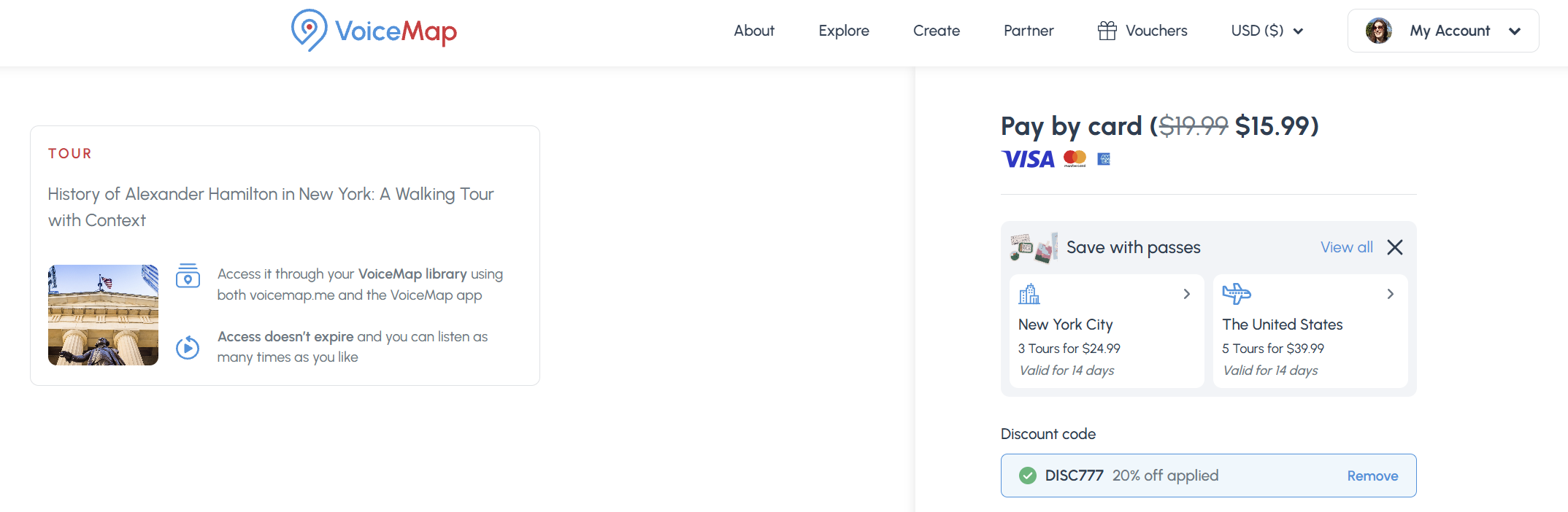
A listener can select Remove to go back to the full price. If a code is refused, the checkout page says why, for example, that the code has expired, has been used already, or is for tours only.
Discount links
A discount link carries a code, so the listener doesn't have to type it. When they open the link, the code is remembered for 30 days in that browser and is applied automatically at tour or pass checkout. Discount links are created by the team, mainly for affiliates who share links rather than codes.
Discount code royalties
As with tour passes, royalties on a discounted sale are calculated on the price the listener actually paid, not the list price. Your royalty on a discounted sale is therefore lower than on the same tour at full price.
Here's an example for a $9.99 tour bought on the website with a 20% code, at the standard 50% royalty rate:
The listener pays $7.99. A Stripe fee of about $0.62 is deducted (Stripe charges 3.4% plus $0.50 SGD per transaction, which is roughly $0.35 USD). That leaves a net of about $7.37, so your 50% royalty is about $3.69. Without the code, the same sale would earn about $4.65.
For the full calculation, see How are my earnings from tour sales calculated?