Sell in bulk
5 min readThe voucher codes we use to give away free review copies of your tour are also an easy way to sell hundreds or even thousands of copies of it at once. They work well when a single organisation wants to offer your tour to groups, and in the past we’ve used voucher codes to make tours available to hotel guests, school groups, festival goers, and people attending conferences. But voucher codes also work as a way for everybody from Expedia to the coffee shop on the corner to resell your tour and make a small profit in the process.
There are three ways to approach bulk sales. Most groups can buy your tour directly on the VoiceMap website, and for larger deals, either you or VoiceMap can take payment and then distribute and manage the vouchers.
When a group buys on our website
Every tour page on voicemap.me has a Buy for a Group option, which lets anyone buy the tour for two or more people in a single checkout. We offer the following volume discounts, which are applied automatically when the buyer selects the number of copies:
- 2-20 copies: 15% off
- 21-100 copies: 25% off
- 101+ copies: 50% off
The buyer receives a voucher code for their group by email, along with instructions for redeeming it in the VoiceMap app. They redeem codes in the VoiceMap app by tapping on Tour Codes and selecting Enter Codes.
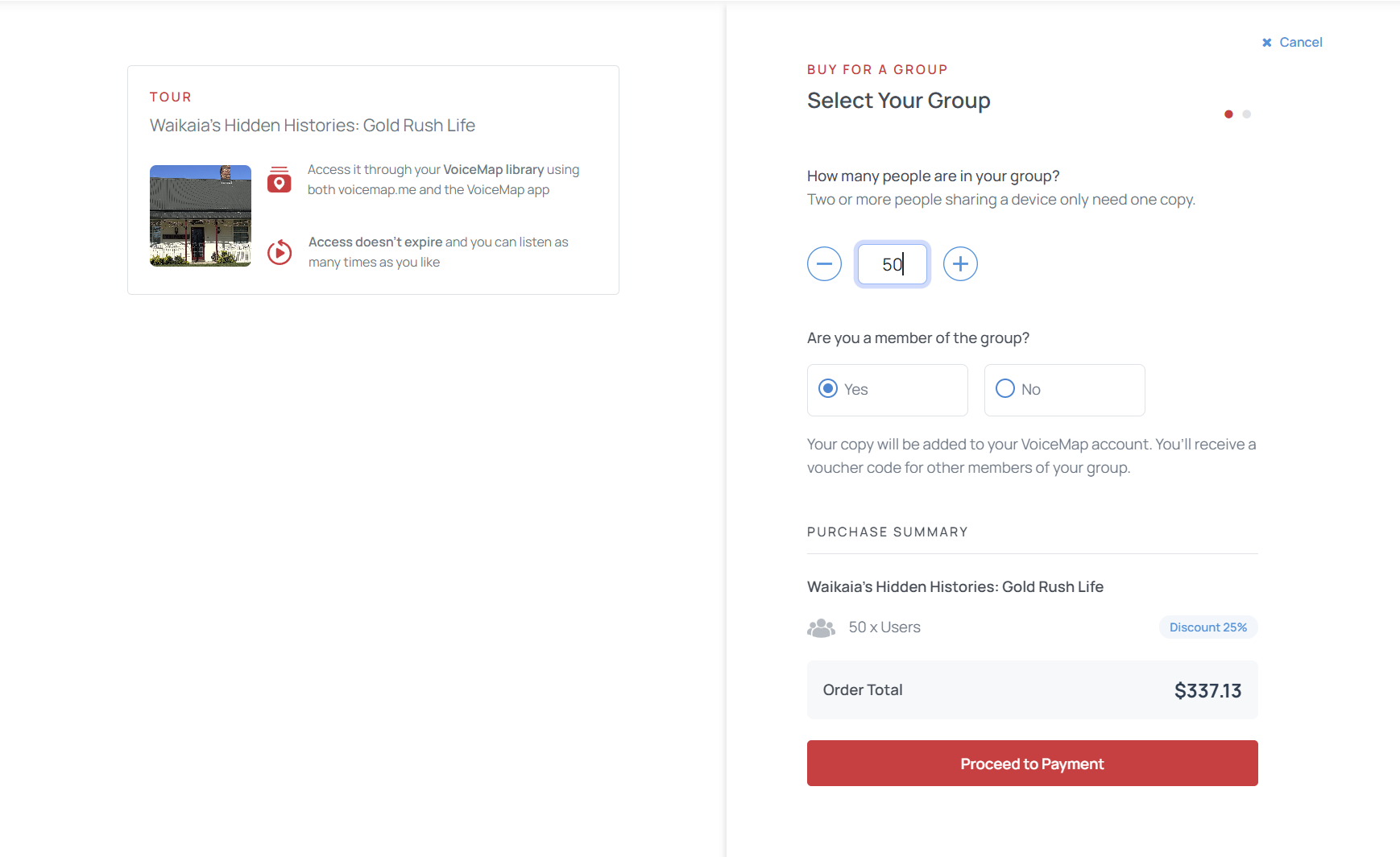
The group discount applies to every tour on VoiceMap, and it helps get more copies of your tour out there. It’s also the easiest option to suggest if a group gets in touch with you directly. You’re paid your usual royalty on these sales, calculated on the discounted price. Group purchases are currently only available through our website. If a travel agent gets in touch, Selling VoiceMap tours as a travel agent walks them through buying for a group. You can also direct them to our page on VoiceMap for Travel Agents, which outlines the process in more detail.
When you are the seller
If you’d like to manage the whole process yourself, from landing the deal to taking payment, you can use your publisher dashboard to generate and distribute voucher codes. These codes are how you provide the tour to your partners. You decide what to charge for these sales, and because VoiceMap only charges you for the download credits, you keep all the revenue. We recommend that the price listeners pay is the same as or higher than your tour’s price on VoiceMap, so you aren’t competing with your own listing. For more information on selling your tour in bulk, our webinar on selling to businesses is also a good place to start.
Some publishers also add these voucher codes to printed promotional cards to sell their tours in shops along their route. This works in local tourism shops, museums, and galleries, especially where the businesses are already set up to take a 10 to 25% commission from selling a local artist’s work.
To create vouchers, you need download credits. Each credit is valid for a single download of your tour, so one credit is deducted from your balance each time someone downloads a copy of your tour using a voucher code.
Credits cost $2.50 each on the Basic Plan and $1.50 on the Priority Plan. You get 1,000 credits a year on the Pro Plan and 5,000 on Premium (or 100 and 500 a month on monthly plans), and additional credits cost $0.75 each on Pro and $0.38 on Premium. You also get 10 free credits each time you publish a tour, which are handy for testing or review copies. Credits you buy expire after 12 months, as do the credits included in an annual Pro or Premium plan. Credits included in a monthly plan expire after 90 days. You can compare what each plan includes in VoiceMap publishing plans.
How voucher codes work
Tour voucher codes are made up of eight letters and numbers, and they aren’t case sensitive. Each code can be valid for as many downloads as you like, or you can choose to have no download limit. Your codes will stop working if your credit balance runs out, so it’s worth keeping an eye on it.
You can buy credits from the Credit Balance tab of your dashboard, then create codes on the Manage Vouchers tab. You can change a code’s download limit after you’ve created it, and delete codes that haven’t been used. For a full walkthrough of the dashboard, see Using voucher codes.
When VoiceMap is the seller
For larger or more bespoke deals, such as an ongoing arrangement with a hotel group, an invoiced order, or a partner who wants codes issued in batches, an organisation can buy voucher codes directly from VoiceMap, usually at a bulk discount. This could be a deal that you initiate and bring to us, or it could work the other way around, with the client contacting us first. Either way, we’ll agree the price with you before going ahead, and you’ll be paid your usual royalty.
Deals like this can continue indefinitely, with VoiceMap issuing new voucher codes and taking payments periodically without any extra effort on your part. If you have a deal in mind, or questions about how one would work, email us at [email protected].